Liquid Metal Application Guide
Please read carefully before use.
Important Safety Information
Avoid contact with skin and eyes. Keep away from children. Contact a doctor immediately if swallowed, or if it comes into contact with eyes.
Liquid metal thermal compound must not be used on aluminum surfaces. Using liquid metal on aluminum heatsinks or coolers will permanently damage your cooler or heatsink.
CPU surfaces are typically made of nickel-plated copper, which is compatible with this liquid metal compound.
PS5 / CPU and Cooler Application
Follow these steps carefully to apply liquid metal safely and correctly.
1. Put on gloves
Wear gloves before starting the application process.
2. Clean both surfaces
Clean the CPU surface and the cooler surface using alcohol pads.
3. Dry and inspect
Dry both surfaces completely and make sure they are clean and smooth.
4. Prepare the syringe
Remove the cap and attach the included blunt syringe tip.
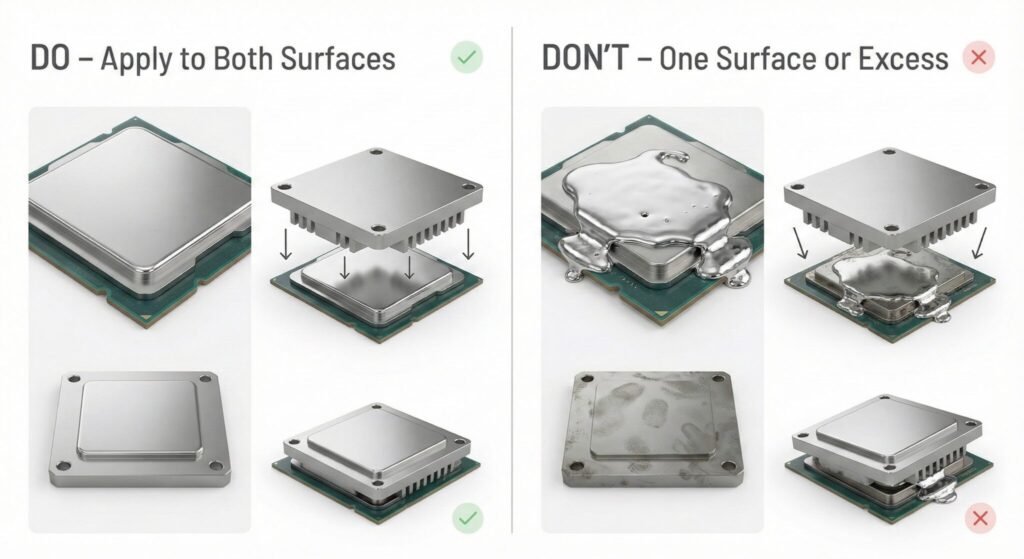
5. Apply a very small amount
Apply a very small amount of liquid metal to both the CPU and cooler surface.
Warning: Applying too much liquid metal can short circuit and permanently damage your device.
6. Spread with cotton buds
Use the included cotton buds to spread the liquid metal evenly.
7. Apply light pressure
Liquid metal is sticky and needs a small amount of pressure to adhere properly to the surface. Apply gentle pressure while spreading with the cotton buds.
8. Coat the cooler surface carefully
Spread liquid metal on the cooler (heatsink) surface as well for better conductivity.
Liquid metal is electrically conductive. If it touches another component on the motherboard, it can short circuit and permanently damage your device.
9. Mount the cooler
Once application is complete, you are ready to mount the cooler.
Photo Reference
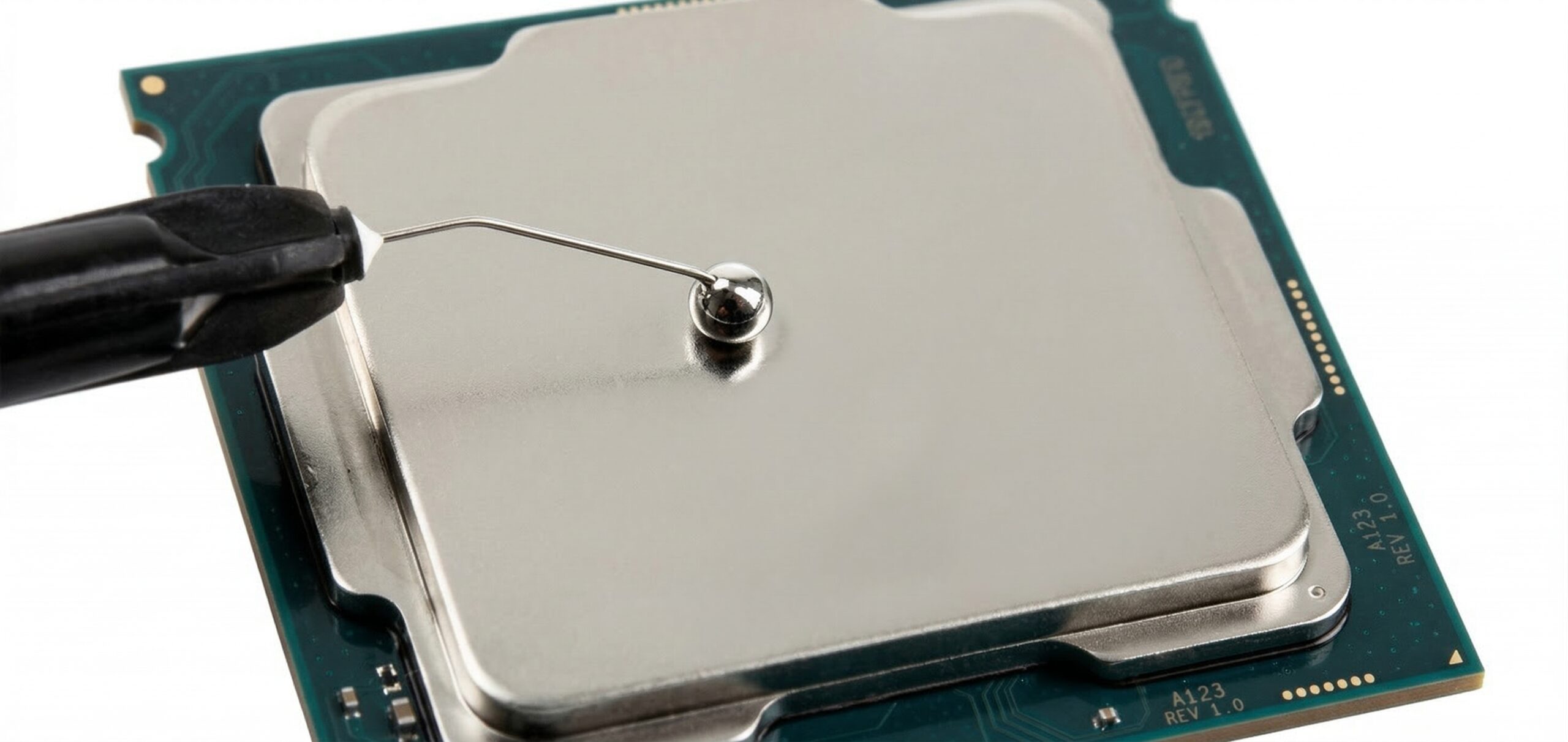 Photo A1.
Ps5 Application
CPU and Cooler Application